Control local Ubuntu VMs from AI assistants via Multipass
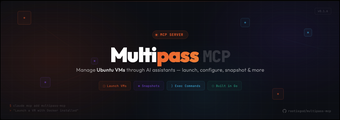
multipass-mcp, developed by Rootisgod, is an MCP server that connects AI assistants to local virtualization for controlled testing and orchestration. It lets the assistant manage Ubuntu virtual machines via Canonical's Multipass, enabling instance listing, launching, and in-VM command execution through natural-language prompts. The server reports VM metadata, IP addresses, and resource usage, and offers potential cloud-init support. It targets developers, DevOps engineers, and AI power users who need sandboxed environments for executing AI-generated code.
What tasks can you actually use it for?
The tool maps natural-language prompts to Multipass operations, so the assistant can perform instance listing, launching, lifecycle control, and in-VM command runs. Concrete actions exposed include:
- list and inspect active or inactive VMs
- create and initialize new Ubuntu instances
- start, stop, and delete machines
- execute shell commands inside a specified instance
How reliable is command execution and sandboxing?
The server exposes an execute_command tool that runs shell commands inside a chosen Multipass instance, keeping operations within the guest rather than on the host. Reliability depends on guest image state and network configuration, since the server reports VM status, IP addresses, and resource usage. Using the Model Context Protocol provides a consistent interface between the assistant and the local virtualization layer, which reduces integration variability across MCP-compatible hosts.
Does it require technical setup or integrate into existing workflows?
Using the app requires Canonical's Multipass on the host and an MCP-compatible client such as Claude Desktop, so it fits teams that already use local virtualization. The developer has prior Multipass integrations (PassGo and MultiManage), indicating experience with the ecosystem. Reported VM metadata and possible cloud-init support make the tool suitable for scripted provisioning when users supply appropriate cloud-init templates and manage VM lifecycles.
What are the limits and safety considerations?
The project is community-led rather than an official Canonical product, so distribution and maintenance follow the developer's channels. Because the app grants an assistant the ability to run commands inside VMs, operational safety depends on sandbox configuration and the underlying Multipass environment. Community reception highlights its value within the Multipass ecosystem, but the tool presumes technical competence from developers or DevOps users to manage VM security boundaries and governance.
Conclusion: a practical, specialist tool for technically skilled users
multipass-mcp is a practical choice for developers and DevOps who want assistants to act on local virtual infrastructure, provided teams already run Multipass and an MCP client. Given the community-maintained status and execution control granted to assistants, adopt the tool only when human oversight and clear provisioning policies enforce operational safety. Adoption fits teams that accept community maintenance.